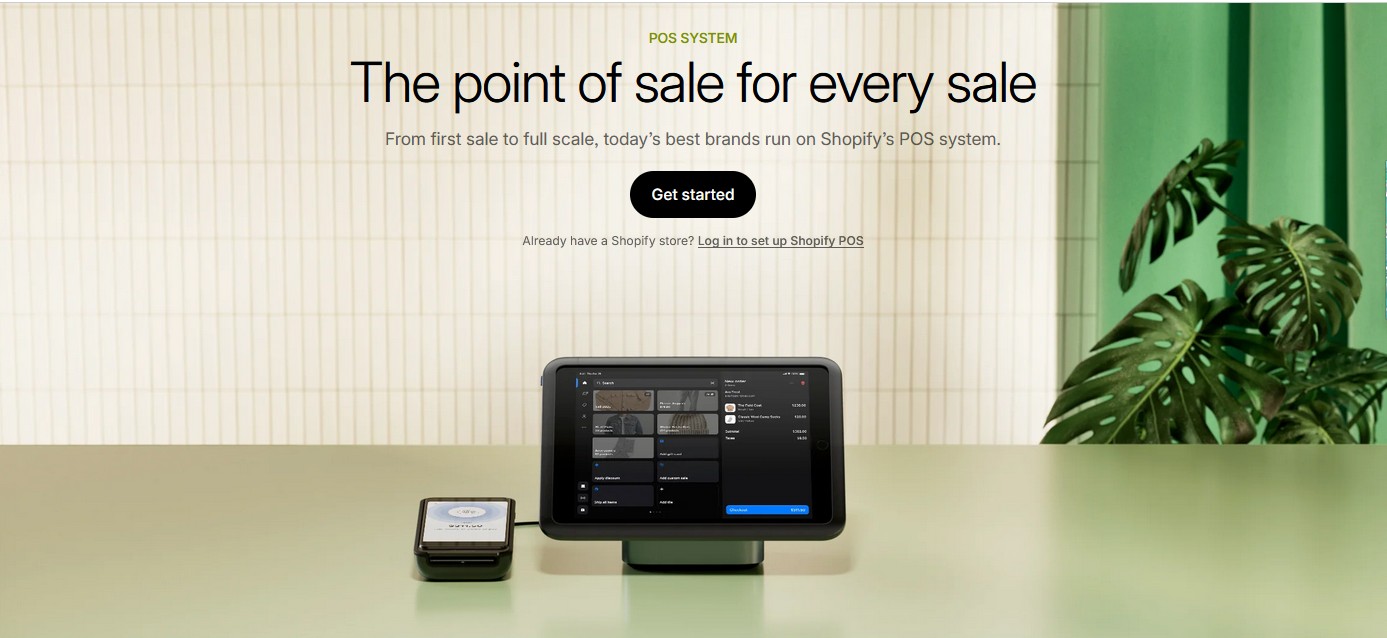
If you already run a Shopify store (or are thinking of starting one), Shopify’s own point-of-sale (POS) system is a compelling option — especially if you want your in-store and online businesses to feel like one connected operation. But is it right for you? Here’s an honest, down-to-earth review of Shopify POS — what works, where it stumbles, and who will benefit most.
What Is Shopify POS?
At its core, Shopify POS is Shopify’s official point-of-sale system that lets you bring your online inventory and management to a physical store, pop-up shop, or market stand. According to Shopify, it’s built to power “retailers of every size” — from a single shop to multiple locations. Shopify+1
With Shopify POS, you can:
-
Sell in person, and sync those sales with your online Shopify store. Shopify
-
Use a unified back office to handle inventory, customer data, orders, and staff — making operations smoother. Shopify
-
Take payments via a variety of methods because the hardware is flexible (mobile devices, terminals, etc.). Shopify
-
Know your customers better by capturing their info at checkout, then use that data across your channels. Shopify
-
View robust reporting to understand what’s selling, when your shop is busiest, and how your team is performing. Shopify
Key Features — What Makes Shopify POS Strong
-
Omnichannel Selling
One of the biggest drawcards is how Shopify POS bridges the gap between your online and offline sales. Rather than having separate systems, you can manage everything in one place. Shopify -
Inventory Management
Your stock stays in sync. Sell something in-store? It’s reflected online. That saves you from painful manual reconciliation. Shopify -
Staff Permissions
You can set roles and access levels for different store team members, which helps if you have several staff or locations. Shopify -
Payment Processing
Shopify supports built-in payment options, including its own Shopify Payments, which can simplify things. Shopify -
Mobile Flexibility
Since Shopify POS works on mobile devices, you can sell on the go — at pop-up stalls, markets, or during events. Shopify -
Reliable Hardware
Shopify provides dedicated hardware. Their system promises 99.9% uptime, which is reassuring when you’re running a real, physical checkout line. Shopify
Pricing Breakdown
-
Shopify Plan Required: To use Shopify POS, you need a Shopify plan. Forbes+1
-
POS Lite: Comes free with Shopify plans — good for basic in-person selling like pop-ups. Shopify App Store+1
-
POS Pro: If you’re running a brick-and-mortar store, this is where you unlock advanced features. It costs $89/month per location. Shopify App Store+2NerdWallet+2
-
Transaction Fees: When using Shopify Payments, in-person card rates are reasonably competitive (depending on your Shopify plan). NerdWallet+1
You can also get a special deal: according to Shopify, there’s an offer where you can “get free POS hardware, free migration and setup support, and 25% off subscription costs” if you go for POS Pro yearly and meet certain sales criteria. Shopify
Pros — What Works Really Well
-
Seamless Syncing: Because it’s deeply integrated with Shopify, managing stock, customers, and sales from one dashboard feels natural and reliable.
-
Scalability: Whether you’re starting with one location or plan to expand, Shopify POS supports growth without forcing you to juggle multiple systems.
-
Flexibility: You can sell anywhere — in-store, online, or at events — using the same system.
-
Powerful Analytics: The reporting tools are not superficial. You can dig into sales trends, peak times, and team performance.
-
Trusted Payments: By leveraging Shopify Payments, you avoid having to deal with disjointed payment processors.
Cons — Where It’s Not Perfect
-
Cost Add-on for Pro: Paying $89 per location each month can add up quickly, especially for smaller physical stores or those just testing the waters.
-
Best Rates with Shopify Payments Only: If you’re using another gateway, you may lose out on favorable in-person transaction fees. Comparisun
-
Limited Offline Capabilities: While Shopify POS does allow offline mode, some users have noted it’s not as seamless or flexible compared to dedicated offline-first POS systems. NerdWallet
-
Hardware Price: If you’re buying Shopify’s POS hardware (readers, terminals), the cost can be relatively high compared to non-proprietary hardware setups. NerdWallet
-
Not Ideal for All Business Types: Shopify POS is very retail focused. If you run a restaurant, café, or other hospitality business, some reviewers suggest it’s not tailored for those workflows. Comparisun
-
User Complaints: Some shop owners on Reddit have reported issues like hardware disconnects or limited flexibility:
“The POS app runs on an iPad … the bluetooth disconnects constantly … it is a 10-minute multi-step process to reconnect … then it disconnects again.” Reddit
Others have noted confusion around the $89/month charge for POS Pro:
“Shopify has been charging me $89 per month for POS Pro … even though my store is online only … we never manually subscribed.” RedditWho Should Use Shopify POS (And Who Might Think Twice)
Good Fit For:
-
Retailers who already run or plan to run a Shopify e-commerce store.
-
Small-to-medium brick-and-mortar stores that want a unified system for in-store and online.
-
Businesses with multiple sales touchpoints (markets, pop-ups, social) who need to keep inventory and customer data synchronized.
-
Entrepreneurs who value scalable reporting and staff management.
Maybe Not For:
-
Very small physical-only shops operating on thin margins, unless they’re okay with the Pro cost.
-
Hospitality businesses (cafes, restaurants) looking for restaurant-specific POS workflows.
-
Sellers who don’t use Shopify Payments and want the cheapest transaction rates.
-
Businesses prioritizing ultra-lightweight or totally offline-first POS systems.
-
Conclusion
In short: Shopify POS is a very solid, well-rounded point-of-sale system — especially if you’re already in the Shopify ecosystem. The way it ties in with online store data, inventory, and customer profiles is one of its strongest advantages. For a retailer who’s serious about omni-channel growth, it can simplify operations and give real-time visibility into how the business is doing.
That said, it’s not completely frictionless or cheap. The $89/month Pro plan, hardware costs, and reliance on Shopify Payments for optimal transaction rates mean you should run the numbers for your specific scenario. Also, read up on user feedback (especially from Reddit and other business owners) — some real-world users have raised valid concerns.
Bottom line: If your business model aligns with Shopify’s strengths — retail + online + growth — Shopify POS is definitely worth considering. But if you’re just running a very small store, or you need specialized restaurant features, you might want to investigate other POS options too.